Voice AI
Amazon Silently Kills Alexa Voice Switching for Older Echo AUX Jacks
Selma Ortiz · 15h ago · 4 min read
That glowing yellow ring on your Amazon Echo is not a malfunction. It is a delivery tracker and marketing hook. Here is how to kill the ambient nagging for good.

By Selma Ortiz, Product and labs writer · Reported off Engadget
Tests every model on ugly, real calls. Writes reviews vendors dread.
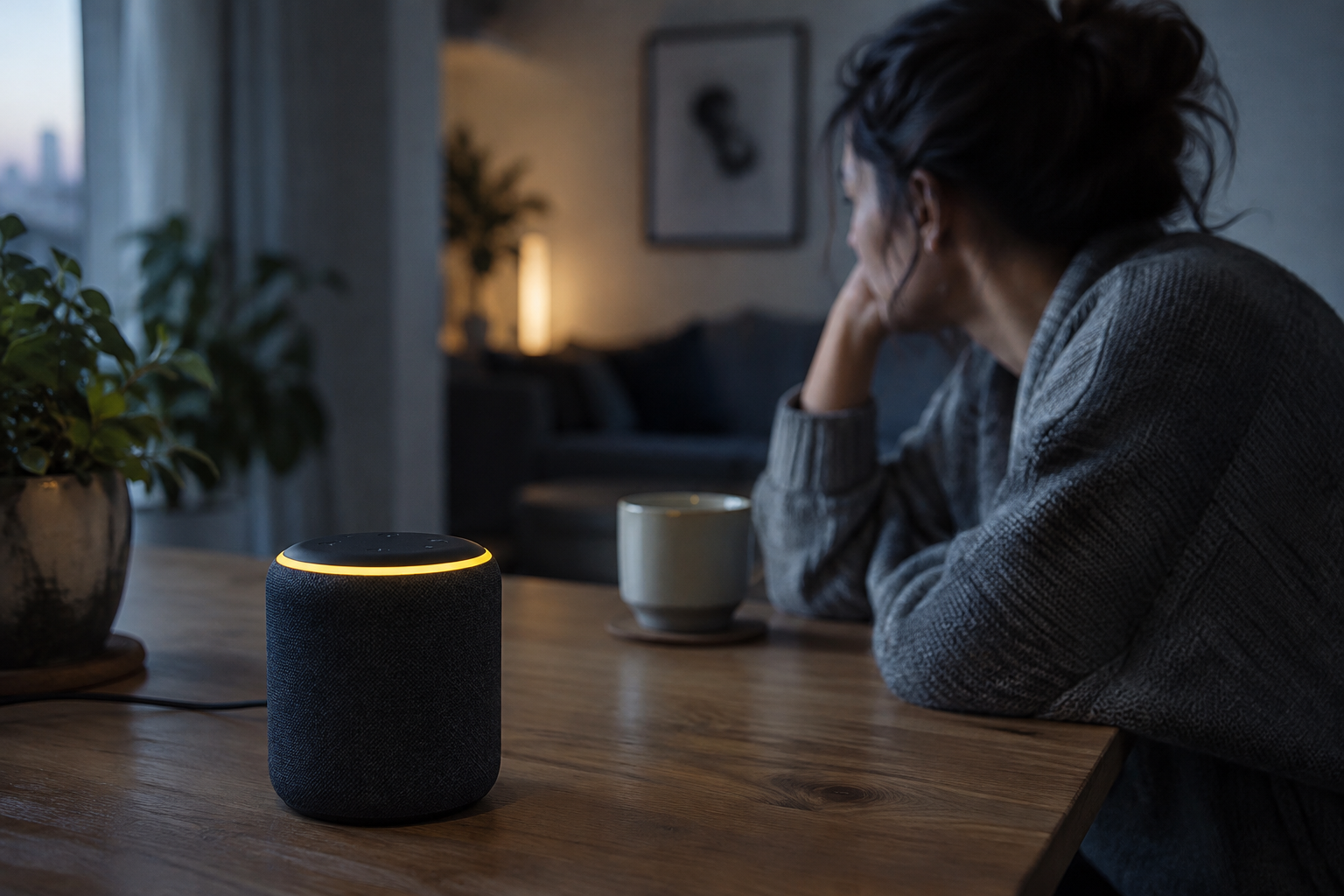
You walk into your kitchen at night. A dull yellow ring pulses on your countertop every few seconds. Nobody touched the smart speaker. Nobody asked for the weather. Yet the plastic cylinder glows in the dark like a radioactive hockey puck.
Your hardware is not broken. It is running an attention-capture routine Amazon introduced back in 2017. A slow, rhythmic yellow flash means Alexa is sitting on an unread alert or an incoming message that it wants you to hear.
The alert could be a parcel drop. It could be a calendar ping you missed while walking the dog. It might be a breaking news bulletin pushed across the network. More often than not, it is a shopping prompt generated by the Alexa for Shopping engine, designed to flag a price cut on items sitting in your cart or save-for-later queue.
Amazon wants you to talk to the speaker to make the light disappear. You walk up to the device and say:
"Alexa, what notifications do I have?"
You can also ask, "Alexa, what messages do I have?" Once spoken, the voice engine reads through your queue. You can clear the backlog sequentially by barking "next" or tell the assistant to "repeat" whatever detail slipped past your ears.
If the yellow pulse stems from a forgotten schedule entry, the voice interface requires a different phrase. You must ask, "Alexa, what are my reminders?" Once the device recites the backlog, you can order it to turn off, dismiss, snooze, or reschedule each item individually.
When Amazon shipped the original Echo hardware, the speaker was strictly reactive. You spoke a wake word, the machine responded, and the interaction ended. In 2017, Amazon decided reactive computing was leaving money on the table and flipped the switch on proactive ambient notifications.
To make proactive alerts work without screens, Amazon turned the light ring into a visual dashboard. The hardware engineers designed nine separate color states into the perimeter array. Most owners recognize only two.
Here is how the nine light ring states divide across daily operation:
Yellow sits inside this matrix as the sole color dedicated to ambient alerts. It was conceived to pull you toward the microphone when you had no immediate reason to shop or talk.
Nobody likes an appliance that blinks unprompted in their living room. What Amazon framed as a helpful delivery concierge quickly became an ambient visual annoyance.
Users who ignore the pulsing yellow ring quickly find their devices turning into persistent light beacons. The frustration peaks when an alert turns out to be an unsolicited shopping suggestion rather than a priority communication. While voice clearing works in the moment, it resets the stage for the next automated ping.
Silencing the yellow ring permanently requires digging into the companion software. You open the Alexa smartphone app, tap the More menu marked by three horizontal lines, select Settings with the gear icon, and enter the Notifications menu. This screen houses the primary switches that turn the hardware ring back into a passive utility.
Stopping calendar pings requires entering the Reminders section within Notifications. Here, users must toggle off Reminders on this Device to stop missed task alerts from triggering the light.
Third-party developers also trigger the yellow ring through the Alexa Skills ecosystem. The skills catalog spans health, fitness, smart home, sports, productivity, education, and trivia games. Each downloaded skill can register for permission to trigger hardware notifications.
Revoking those permissions requires tapping through More, selecting Skills and Games, tapping Your Skills, choosing Settings, and opening Manage Account Permissions. If you do not click Save Permissions after flipping the switches, the yellow alerts remain active.
Connected security hardware creates another layer of notification clutter. If you link a smart camera or video doorbell to your account, default settings cause the Echo to pulse yellow whenever the camera spots movement. To sever that link, users must open the Devices tab in the mobile app, tap their specific camera, open Device Settings, and turn off Person or Package Detection Announcements.
The yellow ring exposes the fundamental tension of ambient computing. Tech giants do not want voice hardware sitting dormant on side tables. A silent speaker is an underutilized retail channel.
By routing package tracking, camera motion pings, third-party skill updates, and shopping discount notifications through a single blinking ring, Amazon turns a piece of audio equipment into a visual nag. The design forces you to acknowledge Amazon's retail apparatus just to restore visual calm to your room.
As ambient voice models become more complex, the number of automated alerts will climb. Connected hardware like the Ring doorbell and third-party smart cameras already dump movement logs into the Echo notification pipeline. If an AI doorbell answers your door, the conversation log ends up sitting on your counter as a yellow light ring.
Consumers who want a passive voice assistant will have to keep hunting through nested menus in the Alexa app to turn these channels off one by one. Until hardware makers give users a single physical kill-switch for proactive alerts, that yellow light will keep demanding your attention on Amazon's schedule, not yours.
Amazon built the Echo notification system to break the voice assistant out of its reactive cage. A speaker that only answers questions cannot sell goods proactively. That flashing yellow ring turns your home into an ambient retail billboard, forcing you to engage with Amazon's ecosystem just to turn off the light. As voice hardware merges deeper into home security and commerce, expect more ambient nudges disguised as helpful status updates.
Reported off Engadget. Original reporting and analysis by Selma Ortiz for Vox Roboti.
A slow pulsing yellow light means Alexa has an unread notification, message, missed reminder, or shopping alert waiting for you.
Ask Alexa, 'What notifications do I have?' or 'What messages do I have?' Once Alexa reads them, the light turns off.
Ask, 'What are my reminders?' Then instruct Alexa to turn off, dismiss, snooze, or reschedule the item.
Open the Alexa app, navigate to More, select Settings, open Notifications, and toggle off the alerts you do not want to receive.
In the Alexa app, go to More, Skills & Games, Your Skills, Settings, Manage Account Permissions, toggle off Notifications, and tap Save Permissions.
A red light means the microphone is disconnected via the mute button, or the camera is blocked from sharing video.
A pulsing green light signals an incoming phone call, while a spinning green light means an active call or Drop In session is ongoing.
A spinning orange light indicates your Echo is in setup mode or trying to connect to your Wi-Fi network.
Selma Ortiz · 15h ago · 4 min read

Cass Iverson · 2d ago · 5 min read

Selma Ortiz · 2d ago · 5 min read