Voice AI
Amazon Silently Kills Alexa Voice Switching for Older Echo AUX Jacks
Selma Ortiz · 17h ago · 4 min read
Google integrated Guided Vision into Gemini Live, letting Android cameras direct users with spoken framing cues. It is assistive tech with sharp edges and real utility.

By Devon Achebe, Infrastructure reporter · Reported off Google Blog
Follows latency, cost and the parts of the stack vendors hide.
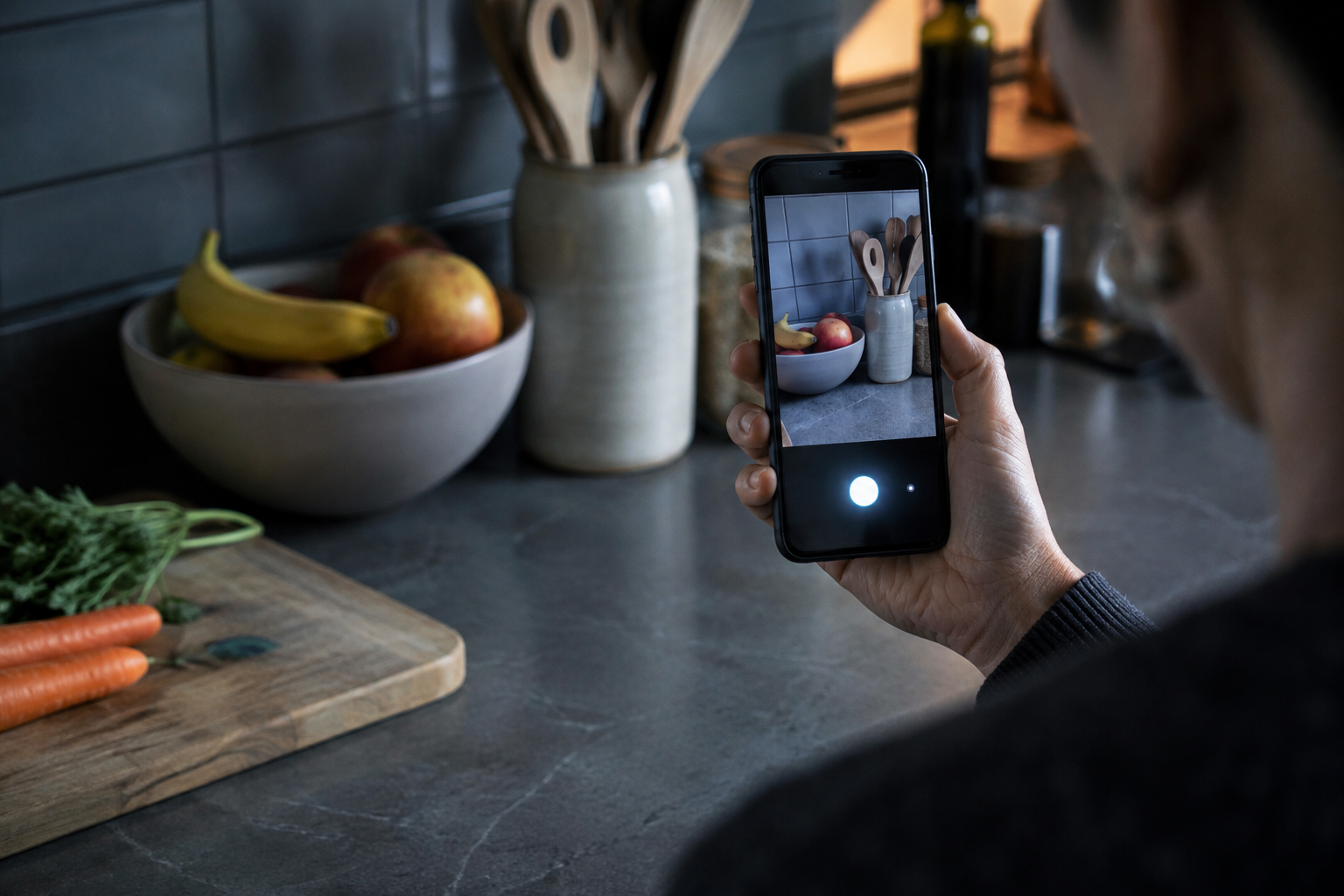
Most voice assistants expect you to do the heavy lifting. You point your phone, hold your breath, pray you captured the right object, and wait for a synthetic voice to read a scrambled blob of text. If your framing is off by two inches, bad luck. The system either hallucinates an answer or delivers a flat failure tone.
On October 1, 2026, Google flipped that dynamic. It pushed Guided Vision straight into Gemini Live across Android hardware. Instead of sitting idle while you struggle to aim a lens you cannot see, the assistant talks back in real time. It tells you to tilt down. It tells you to pan right. It tells you to step backward before it tries to decipher the label on your medicine bottle. This is multimodal interaction doing what it was supposed to do from the start: act as a second set of eyes with an active voice.
Google rolled out Guided Vision as an integrated layer inside Gemini Live for handsets running Android 9 or newer. The software turns the rear camera into an active observational feed managed by Gemini's multimodal models. Isha Sheth, senior product manager for Gemini Live, spearheaded the launch following a limited preview earlier in September 2026.
Unlike traditional computer vision tools that take a static photograph and process an OCR pipeline, Guided Vision operates over an ongoing live video stream. The interface does not wait for you to frame a shot perfectly. When you activate the camera inside a Gemini Live conversation, the system assesses its own visual intake. If the subject sits outside the sensor's focal sweet spot, Gemini speaks up unprompted. It delivers direct verbal adjustments to fix the field of view.
The assistant tells you to pan slowly to the right, tilt downward, or step back so it can get the clear visual context needed to answer your questions.
Google engineered three separate hardware and system triggers across the Android operating system to launch the mode without requiring touch navigation through menus:
Users who prefer traditional navigation can also toggle the feature manually inside their primary Gemini application settings under the profile menu before opening a standard Gemini Live voice session.
Once active, the tool targets granular visual chores that routinely trip up computer vision. It deciphers tiny nutritional tables on packaged foods. It isolates specific appliance control dials, reads cycles on washing machines, and translates wash settings. It scans low-contrast floor spaces to track down small lost items like dropped wireless earbuds, and it differentiates between nearly identical containers inside crowded spice cabinets.
Building an AI system that claims to see for human beings carries massive operational and legal liability. Machine learning models famously hallucinate when presented with blurry, partial, or low-light visual input. If an autonomous model misreads an allergen warning or confuses salt with caustic soda, the fallout is catastrophic.
To bypass these failure modes, Google avoided training the system on sterile web-scraped imagery. Instead, the company partnered directly with Aira, an established remote visual interpreting service that connects human agents to blind and low-vision subscribers. Aira provided tens of thousands of hours of real-world visual interpretation data collected from actual human-to-human guidance calls.
Google then pushed Guided Vision through an extensive vetting pipeline using Aira's Trusted Tester network. More than 1,000 blind and low-vision participants stress-tested the model against their daily physical routines across months of trials. Aira specialists sat inside Google's development rooms to design hard safety guardrails and determine exactly when the model should stay quiet, when it should ask for camera adjustments, and when it should refuse to speculate.
Geographic calibration formed the second half of the background work. Assistive needs vary wildly depending on packaging standards, print quality, and domestic architecture across borders. Google subjected the voice model to iterative testing loops across non-Western environments, pulling field data from testers in India, Brazil, Singapore, Indonesia, and Japan. This testing ensured the underlying natural language processing handled non-English reframing idioms, dialect variations, and non-standard packaging typography without stalling.
The accessibility community has seen plenty of flashy Silicon Valley demos that collapse the minute they hit real kitchens and street corners. The initial reception reflects that earned skepticism, matched with cautious interest in the sheer speed of on-device multimodal feedback.
Advocates emphasize that the primary barrier in existing tools like Google Lookout, Be My Eyes, or traditional screen magnifiers has always been the framing loop. A user who cannot see the screen has no baseline way to know whether an object is upside down, obscured by finger glare, or entirely out of frame. Community testers from Aira noted that real-time spatial directions remove the exhausting guessing game of snapping six sequential blind photos to read a single piece of mail.
Google's product leadership framed the update not as an isolated niche tool, but as a practical universal utility. Isha Sheth and her engineering team highlighted that verbal framing and text interpretation naturally extend to older adults with deteriorating eyesight, individuals dealing with low literacy, and sighted users attempting to read serial numbers inside dark equipment closets.
Yet the safety disclosures attached to the rollout tell the real story of corporate anxiety:
Google knows that while an AI model can identify a navy blazer or read an oven temperature, letting software guide a blind user through a street intersection is an invitation to disaster.
The immediate consequence lands squarely on specialized visual accessibility software. For years, services like Aira and Be My AI relied on high-touch infrastructure: paid human interpreters or third-party API calls routed through OpenAI and Microsoft pipelines. By packaging native, voice-driven reframing straight into the Android operating system for free on Android 9 devices, Google commoditizes basic visual lookup chores.
Hardware vendors building dedicated smart glasses will feel the ripple effects next. Meta has spent millions promoting the conversational camera inside its Ray-Ban frames. Those glasses run on cloud audio prompts, but they still struggle to correct user head positioning in real time. Google just proved that conversational camera reframing belongs at the platform level, integrated with system-wide accessibility shortcuts rather than locked behind proprietary spectacles.
The real test will be latency and compute overhead. Processing live video feeds while generating fluid speech requires serious bandwidth and phone battery. If Guided Vision drains a battery in twenty minutes or stutters when a cellular connection drops to two bars, users will abandon it for dedicated, lightweight static tools.
Google built an AI voice agent that finally acknowledges the camera has an operator on the other end. If the company maintains reliability without drowning users in disclaimers, it may turn Gemini Live from a conversational novelty into standard assistive equipment.
Multimodal voice agents are useless if they cannot control their own data collection. By teaching Gemini to verbally direct where the phone points, Google turned passive computer vision into an active, conversational collaboration. This lowers the barrier for blind users, threatens standalone visual assistive apps, and sets the operational baseline for how future camera glasses must guide human eyes.
Reported off Google Blog. Original reporting and analysis by Devon Achebe for Vox Roboti.
It is an Android accessibility feature that shares your camera with Gemini Live to provide verbal environmental descriptions and spoken reframing directions.
No. Google explicitly states it is not a mobility aid, navigation system, or obstacle detector, and cannot replace physical mobility tools.
It runs on Android 9 and above in regions and languages where Gemini Live is currently supported.
You can launch it via a two-finger swipe, pressing both volume buttons simultaneously, or using TalkBack's three-finger tap menu.
Google partnered with visual interpretation service Aira, using tens of thousands of hours of expert data and over 1,000 community testers.
It reads fine text on labels and appliance dials, locates lost household items, verifies clothing colors, and describes room layouts.
Selma Ortiz · 17h ago · 4 min read

Cass Iverson · 2d ago · 5 min read
Selma Ortiz · 2d ago · 5 min read